
everything hangs off the job card
MotoDoc features, from the counter to the gate.
MotoDoc has one job card and everything else hangs off it: the check-in, the check-up, the estimate, the floor, the bill and the follow-up. Five parts have a page of their own.
Five parts, each on its own page.
What the job card holds, why every line carries a reason, and the twelve statuses a car moves through.
Read on Estimate approval on WhatsAppThe message the garage sends, the page the customer opens, and what happens to work they decline.
Read on Check-up and OBD scanThe forty-point check-up, body and tyre photos, the OBD scan and what you need to run it.
Read on Workshop floor boardThe live floor, the jobs that need attention, bay suggestions and the wall board for the workshop TV.
Read on GST billing and paymentsThe GST invoice under the garage's own name, payments, the gate pass, day close and the owner's reports.
Read onEvery part of MotoDoc, and where it stands.
MotoDoc is in build and has not opened to garages yet. "In the build" means the part works in the build today. "Planned" means it does not yet.
| Part | What it does | Who uses it | Status |
|---|---|---|---|
| Number plate check-in | The advisor types the plate and the make, model, variant and fuel fill in, with the insurance and pollution certificate dates. | Advisor | In the build |
| Digital job card | One card per visit: complaints, findings, the estimate, labour, parts, tasks and twelve statuses. | Everyone | In the build |
| Check-up and OBD scan | A check-up of about forty points with photos, and a scan through a standard Bluetooth plug. | Technician | In the build |
| Estimate approval on WhatsApp | A link from the garage's own WhatsApp. The customer approves or declines each job. | Advisor, customer | In the build |
| Floor board and wall board | Which car is in which bay, who is on it and what needs attention, also on the workshop TV. | Floor in-charge | In the build |
| GST billing and payments | A GST tax invoice under the garage's own name, payments, part payments and a gate pass. | Advisor, owner | In the build |
| Stock and purchase orders | Parts issued to a job come off the shelf count, and purchase orders top it up. | Advisor, owner | In the build |
| Customer tracking page | A page with no login: where the car is, the approved work and the bill. | Customer | In the build |
| Reminders | For the next service, and for work the customer said no to this time. | Advisor | In the build |
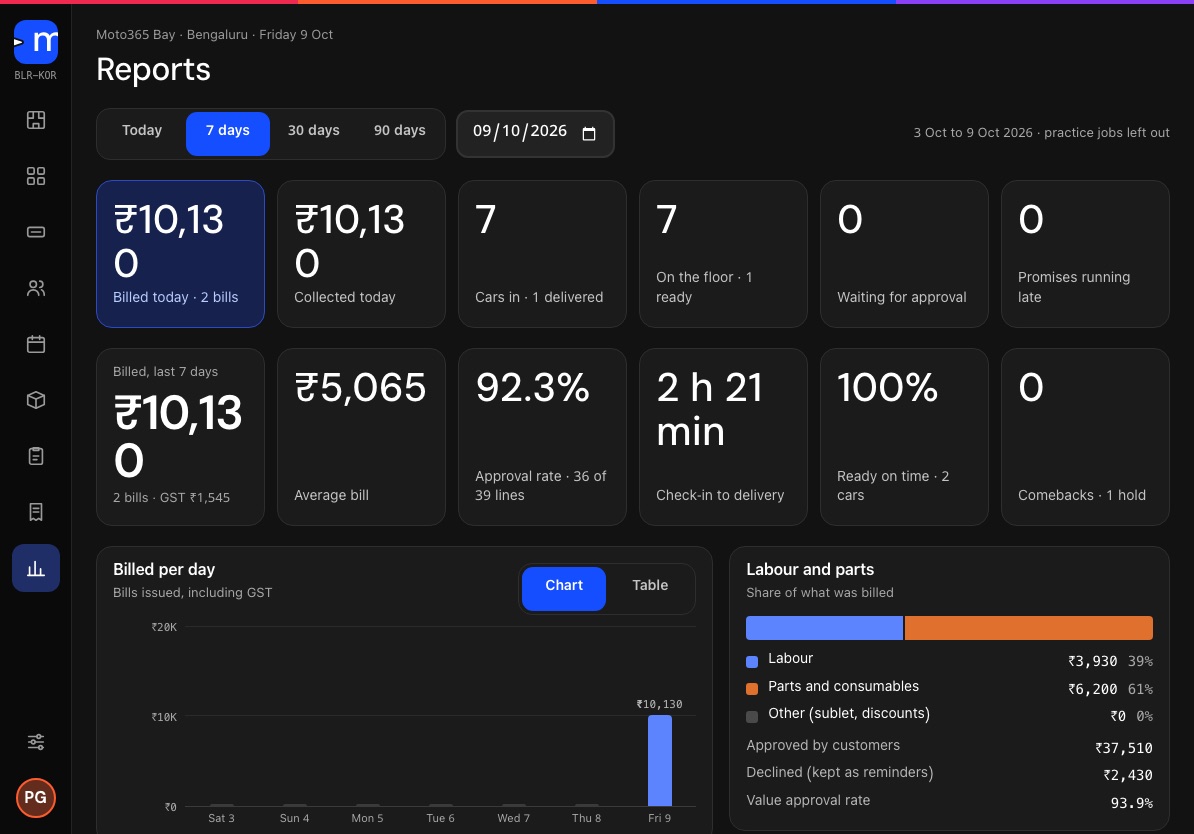
| Owner reports | What came in, what was approved, what was billed and what is still owed. | Owner | In the build |
| Guided setup | A set of questions that ends with a practice job, so the first real car is not the first try. | Owner | In the build |
| Parts by vehicle | Finding the right part for the car on the job card through the TecDoc catalogue. | Advisor | Planned |
| Dealer service history | Pulled on request, starting with Maruti Suzuki, Hyundai and Mahindra. | Advisor | Planned |
| Plate by camera | Reading the number plate from a photo instead of typing it. | Advisor | Planned |
| Hindi and Kannada | English today. Hindi and Kannada are in draft. | Everyone | Planned |
About the features.
What are the main features of MotoDoc?
Number plate check-in, a digital job card, a check-up with an OBD scan, estimate approval on WhatsApp, a live floor board with a wall board for the workshop TV, GST billing with payments and a gate pass, stock and purchase orders, reminders and owner reports.
Do I have to use every part?
The job card is the centre and the other parts read from it. A walkthrough shows how they fit a workshop of your size. Ask for one.
Which parts are not built yet?
Finding parts by vehicle through the TecDoc catalogue, dealer service history, reading the plate by camera, and Hindi and Kannada. They are planned.
How does a car move through all of this?
In twelve steps from the counter to the gate. See how a visit runs in MotoDoc.
See every part on one car.
A walkthrough takes one car through the whole job card on the build. Tell us about your workshop and we will set one up.